Skip to content
Digital Wallet

Your wallet. Wherever you are.

Easy, secure payments right from your phone.

Forgot your wallet at home or in the car? We’ve been there before too, which is why we have partnered up with ApplePay, GooglePay, and Samsung Pay! We want to make your life convenient by allowing you to pay with your phone.
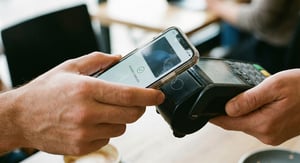

Digital-Wallet
Forgot your wallet at home or in the car? We’ve been there before too, which is why we have partnered up with ApplePay, GooglePay, and Samsung Pay! We want to make your life convenient by allowing you to pay with your phone.

Apple Pay


Apple Pay lets you make fast, secure payments using your iPhone or Apple Watch. Once your LutheranFCU debit card is added to your Wallet, you can tap to pay anywhere Apple Pay is accepted.

Details

  • For Apple devices, locate and open the Wallet App (this should be pre-downloaded).

  • Click the + button located in the top right portion of the screen.

  • Enter your Debit Card information and follow the prompts on your phone to complete the set up.

Google Pay


Google Pay makes paying with your Android device quick and convenient. Add your LutheranFCU debit card to the app and enjoy secure, contactless payments wherever Google Pay is accepted.

Details

  • For Android users, download and open the Google Pay App.
  • Click the “Payment” tab at the the bottom of the screen.
  • Click the “+ Payment Method” button.
  • You are then able to take a picture of your Debit Card or enter the details manually and follow the prompts on the screen to complete the set up.

Samsung Pay


Samsung Pay gives you a simple and secure way to pay using your Samsung device. After setting up your account and adding your LutheranFCU debit card, you are ready to pay with a tap.

Details

  • Android users can also download Samsung Pay via Google Play Store.
  • Create your Samsung account (or sign in).
  • For fingerprint verification, tap “Use Fingerprint” then follow instructions (click “skip” to use the PIN method).
  • Enter a backup password and tap “Continue”.
  • Enter your Debit Card information and follow the prompts on the screen to complete the set up.